
Here are the expense categories you need right now: Housing, Transportation, Food, Utilities, Insurance, Healthcare, Savings & Debt, Personal & Lifestyle for personal budgets, and Payroll, COGS, Rent, Marketing, Office Supplies, Professional Fees, Depreciation for U.S. small-business tax tracking. Every item on this list qualifies as a potential deduction when it meets the IRS “ordinary and necessary” standard, so keep receipts from day one.
Quick-start checklist (paste into your budget or chart of accounts):
- Housing (rent/mortgage, HOA, repairs)
- Transportation (car payment, gas, insurance, public transit)
- Food (groceries, dining out)
- Utilities (electric, gas, water, internet, phone)
- Insurance (health, life, renters/homeowners)
- Healthcare (copays, prescriptions, dental, vision)
- Savings & debt payments (emergency fund, retirement, credit cards, loans)
- Personal care & lifestyle (clothing, haircuts, gym, subscriptions)
- Business: Payroll & contractor payments
- Business: COGS, Rent, Marketing, Office Supplies, Professional Fees, Depreciation
For U.S. taxes, business expenses must be “ordinary and necessary” per IRS Publication 535 to be deductible. Personal categories do not carry the same deductibility rules, but tracking them precisely is what makes a budget actually work.
Table of Contents
- What does a complete personal expense categories list look like?
- What are the IRS-aligned business expense categories for small businesses?
- How are expenses classified for budgeting and taxes?
- How do you build a category system and track it consistently?
- Ready-to-use category template and CSV import guide
- How does cash stuffing map to your category list?
- Key Takeaways
- Why the way you label categories matters less than you think
- Physical starter kits that make the category system click
- Useful sources
What does a complete personal expense categories list look like?
A solid personal expense categories list covers every dollar that leaves your account, organized into buckets that tell you something useful. The goal is not a perfect taxonomy; it is actionable insight. If a category does not help you decide where to cut or reallocate, rework it.
Housing
Rent or mortgage payment, property taxes, HOA fees, renter’s or homeowner’s insurance, and home repairs. Split repairs into a subcategory only if you spend enough to make the number meaningful, say, if you own a home and run regular maintenance.

Transportation
Car payment, auto insurance, gas, parking, tolls, public transit passes, and rideshares. If you drive for work, track mileage separately from personal driving from the start. Mixing them creates headaches at tax time.

Food
Two subcategories almost always pay off here: Groceries and Dining Out. Most people who track these together are shocked by how much the restaurant line actually costs. Splitting them is the single fastest way to find money you did not know you were spending.
Utilities
Electric, gas, water, trash, internet, and cell phone. If you work from home, flag the internet and phone bills, because a portion may be deductible as a business expense.
Insurance
Health, dental, vision, life, disability, and any supplemental policies. Keep this separate from the healthcare category below, which is for out-of-pocket medical costs.
Healthcare
Copays, prescriptions, lab fees, dental and vision out-of-pocket costs, therapy, and gym memberships if medically directed. HSA contributions belong in Savings, not here.
Savings and debt payments
Emergency fund contributions, retirement account deposits (401(k), IRA), sinking funds for irregular expenses, and minimum-plus payments on credit cards and loans. Sinking funds for things like car registration or holiday gifts prevent those “surprise” expenses from blowing your budget.
Personal care and lifestyle
Haircuts, toiletries, clothing, gym membership, streaming services, and hobby supplies. This is where most budgets get fuzzy. A subcategory for Clothing and one for Subscriptions is usually worth it once you see how fast those monthly charges stack up.
Family and childcare
Childcare, school supplies, extracurricular activities, and baby supplies. Families with school-age children often find this rivals transportation in size.
Technology
Devices, software, and repairs for personal use. If a device is also used for work, split the cost by percentage and move the business share to your business categories.
Entertainment and gifts
Movies, concerts, sports events, vacation, and gifts for birthdays and holidays. Gifts deserve their own line. They are predictable if you plan for them, and they wreck a budget when you do not.
Pets and miscellaneous
Vet bills, food, grooming, and pet insurance. Miscellaneous catches everything else, but set a cap. Quicken recommends treating miscellaneous as a temporary holding bucket, not a permanent home for recurring spending.
Granularity rule: keep a single category until you have enough transactions to make a subcategory meaningful. If dining out appears three times a month, it earns its own line. If pet expenses show up twice a year, fold them into miscellaneous until they grow.
Pro Tip: Start with just 3–5 variable categories — groceries, dining out, and fun money are the classic trio. Too many categories at launch is the leading reason people abandon budgeting systems. Add new categories only when you notice a recurring expense that does not fit anywhere.
What are the IRS-aligned business expense categories for small businesses?
Small-business expense categories serve two masters: your bookkeeping software and the IRS. Rippling’s business expense framework groups them into fixed, periodic, and variable types, and the IRS recognizes specific groupings including advertising, office supplies, payroll, and depreciation. The table below maps the most common categories to their tax treatment.
| Category | Typical examples | Tax note |
|---|---|---|
| Cost of Goods Sold (COGS) | Inventory, raw materials, direct labor | Deducted on Schedule C, Part III; reduces gross profit |
| Payroll & contractor payments | Wages and salaries, contractor fees | W-2 wages and contractor payments reported as required |
| Rent & utilities | Office rent, electric, internet | Fully deductible if used for business; home office requires Form 8829 |
| Advertising & marketing | Ads, website hosting, social media spend | Fully deductible as ordinary and necessary |
| Office supplies | Paper, pens, printer ink, postage | Fully deductible; keep receipts for items over $75 |
| Travel & meals | Flights, hotels, client meals | Meals: 50% deductible limit; travel: fully deductible with documentation |
| Professional fees | Accountant, attorney, consultant | Fully deductible; document business purpose |
| Insurance | Business liability, professional liability, workers’ comp | Fully deductible |
| Depreciation & amortization | Equipment, vehicles, software licenses | Section 179 or bonus depreciation may allow immediate expensing |
| Taxes & licenses | Payroll taxes, business licenses, sales tax paid | Deductible; self-employment tax deduction applies separately |
| Interest | Business loan interest, credit card interest on business purchases | Deductible on business debt only |
| Software & subscriptions | Accounting software, project tools, SaaS | Deductible; annual subscriptions may need to be prorated |
| Shipping & postage | Courier fees, packaging materials | Fully deductible |
| Training & education | Courses, books, conferences | Deductible when directly related to current business |
| Bank fees | Monthly account fees, wire transfer fees | Fully deductible |
Key tax rules to know:
- “Ordinary and necessary” is the IRS standard for any business deduction per IRS Publication 535. An expense is ordinary if it is common in your industry; necessary if it is helpful and appropriate.
- Meals: only 50% of the cost of business meals is deductible. Entertainment expenses (concerts, sporting events) are generally not deductible under current law.
- Gifts: the IRS caps the business gift deduction at $25 per recipient per year.
- Mileage: use the IRS standard mileage rate or actual vehicle expenses, but not both. Log date, destination, business purpose, and miles for every trip.
- Documentation threshold: any business expense over $75 should have a receipt with the amount, date, place, and business purpose recorded. The label in your software matters less than the documentation behind it.
Depreciation deserves special attention. A laptop or piece of equipment is a capital asset, not an immediate expense, unless you elect Section 179 expensing or bonus depreciation. Misclassifying capital purchases as operating expenses is one of the most common small-business bookkeeping errors.
Pro Tip: Simple, consistent naming conventions in your chart of accounts reduce tax-prep time significantly. Pick short, clear category names (“Meals 50%”, “Travel”, “Contractor Fees”) and never rename them mid-year. Renaming categories mid-year forces manual reconciliation and can obscure year-over-year trends.
How are expenses classified for budgeting and taxes?
Understanding the classification types lets you assign every transaction correctly the first time, whether you are filling a cash envelope or filing Schedule C.
- Fixed expenses recur at the same amount every period. Rent, loan payments, and insurance premiums are fixed. They are predictable for budgeting and usually fully deductible for business.
- Variable expenses fluctuate month to month. Groceries, gas, and dining out are variable. These are the categories where cash envelopes and spending limits have the most impact.
- Periodic (non-monthly) expenses hit on a schedule but not every month: car registration, annual subscriptions, quarterly estimated taxes. Budget for them by dividing the annual cost by 12 and setting that amount aside each month.
- Capital (one-time) expenses are large purchases with a useful life beyond one year: equipment, vehicles, major software licenses. For taxes, these are typically capitalized and depreciated over time rather than deducted immediately, unless Section 179 applies.
- Cost of Goods Sold (COGS) is specific to businesses that sell products. It covers the direct costs of producing what you sell: materials, direct labor, and manufacturing overhead. COGS reduces gross profit before operating expenses are calculated.
Intuit recommends splitting expenses into fixed and variable as the foundation of any budget, because fixed costs set your floor and variable costs are where behavioral change happens.
| Transaction | Classification | Budget bucket | Tax treatment |
|---|---|---|---|
| Monthly rent | Fixed | Housing | Deductible (business use) |
| Groceries | Variable | Food | Personal; not deductible |
| Annual car registration | Periodic | Transportation | Deductible (business vehicle) |
| New office laptop | Capital | Technology | Depreciate or Section 179 |
| Wholesale inventory | COGS | Business: COGS | Deducted against revenue |
| Monthly internet | Fixed | Utilities | Partial deduction (home office) |
The classification also determines where an item lands on your tax return. Operating expenses flow to Schedule C, Part II. COGS flows to Part III. Capital assets go on Form 4562 for depreciation. Getting the classification right from the start means less reclassification work when April arrives.
How do you build a category system and track it consistently?
The best system is the one you will actually use next week, not the one that looks perfect in a spreadsheet. Here is a workflow that works for both personal budgets and small-business books.
- Pull three months of transactions. Download your bank and credit card statements. Look at what you actually spent, not what you planned to spend. This gives you a realistic starting point for which categories you genuinely need.
- Pick 10–20 core categories. For personal budgets, PayPal’s Budget 101 suggests 15 as a practical ceiling. For business, align with the IRS groupings in the table above. Fewer categories means less friction; more categories means more insight. Find your balance.
- Write assignment rules for ambiguous purchases. A Costco run that includes both groceries and household supplies: split it, or assign it to whichever category dominates. Decide once, write it down, and apply it consistently. Inconsistency is what makes reports useless.
- Set auto-categorization rules in your software. Most accounting and budgeting apps let you create rules: “Any transaction from [merchant name] goes to Office Supplies.” Set these up once and review them monthly. For cash-based systems, label each envelope before you fill it.
- Handle mixed personal/business items by percentage. If your home internet is 40% business use, deduct 40% as a business expense and categorize the rest as personal. Document the calculation and keep it consistent year over year.
- Tag and reconcile weekly. Spend 10 minutes each week assigning any untagged transactions. Monthly reconciliation is where you catch errors, but weekly tagging prevents a 90-minute catch-up session at month-end.
- Run a monthly category review. Compare actuals to your plan. Any category running over budget two months in a row needs either a higher allocation or a behavioral change.
- Do an annual review before taxes. Check for miscategorized items, confirm depreciation schedules are current, and verify that any new recurring expenses have a proper category. This is also when you add or retire categories that no longer reflect your spending.
For choosing between a physical binder and a spreadsheet, the budget binder vs. spreadsheet guide at Mariaandherjournal walks through the tradeoffs clearly.
Pro Tip: Cap your “Miscellaneous” category at 5–10% of your total budget. When it creeps above that, it means a recurring expense has grown large enough to deserve its own category. Treat a bloated miscellaneous line as a signal, not a solution.
Pro Tip: For audit defense, document every business expense over $75 with the amount, date, place, and business purpose. The IRS cares far more about your documentation than about which software label you used.
Ready-to-use category template and CSV import guide
Copy the table below into a spreadsheet or import it as a CSV into your accounting software. The column structure works for both personal budgets and small-business books.
| Date | Payee | Amount | Category | Subcategory | Tax treatment | Memo |
|---|---|---|---|---|---|---|
| — | Whole Foods | — | Food | Groceries | Personal | Weekly grocery run |
| — | Verizon | — | Utilities | Cell Phone | 40% business | Monthly bill; home office allocation |
| — | Adobe | — | Software & Subscriptions | Design Tools | business-use portion | Annual plan billed monthly |
Import tips:
- Use the same category name every time, character for character. “Office Supplies” and “office supplies” will create two separate buckets in most software.
- Keep category names short (under 25 characters) if your accounting software has field-length limits.
- Add a “Tax treatment” column from day one, even for personal budgets. It takes seconds to fill in and saves hours at year-end.
- For business accounts, add a “Project” or “Client” column if you need to track expenses by job.
Minimal column sets by user type:
- Personal budget: Date, Payee, Amount, Category, Memo
- Small business: Date, Payee, Amount, Category, Subcategory, Tax treatment, Memo
- Cash envelope system: Envelope name (= Category), Date, Amount spent, Running balance
Short category codes are useful when importing into software with limited display space. Examples: GROC for Groceries, DINE for Dining Out, UTIL for Utilities, MKTG for Marketing, COGS for Cost of Goods Sold. Use codes consistently or skip them entirely; mixing coded and uncoded entries creates sorting problems.
How does cash stuffing map to your category list?
Cash stuffing is a physical envelope budgeting method: you withdraw cash, divide it into labeled envelopes before the spending period begins, and stop when an envelope is empty. Fidelity notes that separating funds into labeled buckets before spending increases adherence regardless of whether the method is physical or digital.
The categories that produce the biggest behavioral change in cash stuffing are the variable ones: Groceries, Dining Out, Fun Money, Gas, and Personal Care. These are the envelopes worth filling with cash because they are the categories where overspending is easiest and the physical limit of an empty envelope is most effective.
Implementation steps for combining envelopes with your CSV system:
- Label each envelope with the exact category name you use in your spreadsheet. Consistency between physical and digital records is what makes reconciliation fast.
- Every time you spend from an envelope, write the amount and merchant on a small slip inside. At the end of the week, total the slips and enter them as a batch in your spreadsheet.
- At month-end, any leftover cash either rolls over to next month’s envelope or moves to savings. Record the transfer.
- For the guide to cash envelope categories that includes label templates and category suggestions, Mariaandherjournal has a practical reference that maps directly to the lists in this article.
Keep these categories out of cash envelopes: fixed bills like rent, mortgage, insurance premiums, and loan payments. Automating fixed expenses and using envelopes only for variable spending is the setup that Ramsey Solutions recommends for beginners. It reduces the number of envelopes to a manageable 3–5 and keeps the system from feeling like a second job.
For tax purposes, cash envelope totals are not inherently tax records. If any cash envelope category overlaps with a business expense (say, a home-office supply run paid in cash), transfer that amount to your business CSV with a memo noting the cash payment and keep the receipt.
Pro Tip: If you are new to cash stuffing, the envelope categories for students guide at Mariaandherjournal is a clean starting point even if you are not a student. The category list is lean, the labels are clear, and the system scales up easily once you have the habit.
Key Takeaways
A complete expense categories list covers both personal and business spending, maps to IRS-recognized groupings, and stays simple enough to use every single month without abandoning it.
| Point | Details |
|---|---|
| Start with 3–5 variable categories | Groceries, Dining Out, and Fun Money are the highest-impact starting envelopes; add more only when a recurring expense outgrows Miscellaneous. |
| Map business categories to IRS groupings | Align your chart of accounts with IRS-recognized categories (COGS, Payroll, Rent, Meals 50%) to reduce reclassification work at tax time. |
| Document every business expense over $75 | Record amount, date, place, and business purpose; the label in your software matters less than the documentation behind it. |
| Reconcile monthly, review annually | Monthly reconciliation catches errors; an annual review before taxes confirms depreciation schedules and retires obsolete categories. |
| Mariaandherjournal starter kits | Cash-stuffing envelopes and savings challenge bundles from Mariaandherjournal map directly to the variable categories in this list and make the physical system easy to start. |
Why the way you label categories matters less than you think
Most budgeting advice focuses on which categories to use. The more useful question is whether your categories are telling you anything you would actually act on.
A budget with 40 perfectly named categories that you check once a quarter is less useful than one with 12 categories you review every Sunday. The physical act of handling cash and filling envelopes creates a feedback loop that a spreadsheet alone rarely replicates. When the Groceries envelope is empty on the 22nd, you know immediately, without logging in anywhere or running a report.
What gets underestimated is how much the naming and physical organization of categories shapes behavior. Calling a category “Fun Money” instead of “Entertainment” changes how you feel about spending from it. Labeling an envelope by hand, in your own writing, makes the budget feel personal rather than bureaucratic. That is not a small thing. Behavior change in personal finance is almost never about information; people know they are overspending on dining out. The change happens when the system creates friction at the moment of the decision.
For small-business owners, the equivalent insight is that simple, repeatable category names reduce tax-prep time and improve accuracy more than any software upgrade. A chart of accounts you understand and maintain consistently is worth more than a complex one you hand off to a bookkeeper to untangle every March.
The categories in this article are a starting point. Adapt them to how you actually think about money, and they will work. Copy them without adapting, and they will feel like someone else’s system.
Physical starter kits that make the category system click
Knowing your categories and actually using them every week are two different things. Mariaandherjournal’s cash-stuffing essentials collection gives you the physical tools to make the system stick: handmade envelopes sized for the variable categories that matter most (Groceries, Dining Out, Fun Money, Gas), pre-labeled category tabs, and savings challenge bundles that map directly to the periodic savings categories in this article.
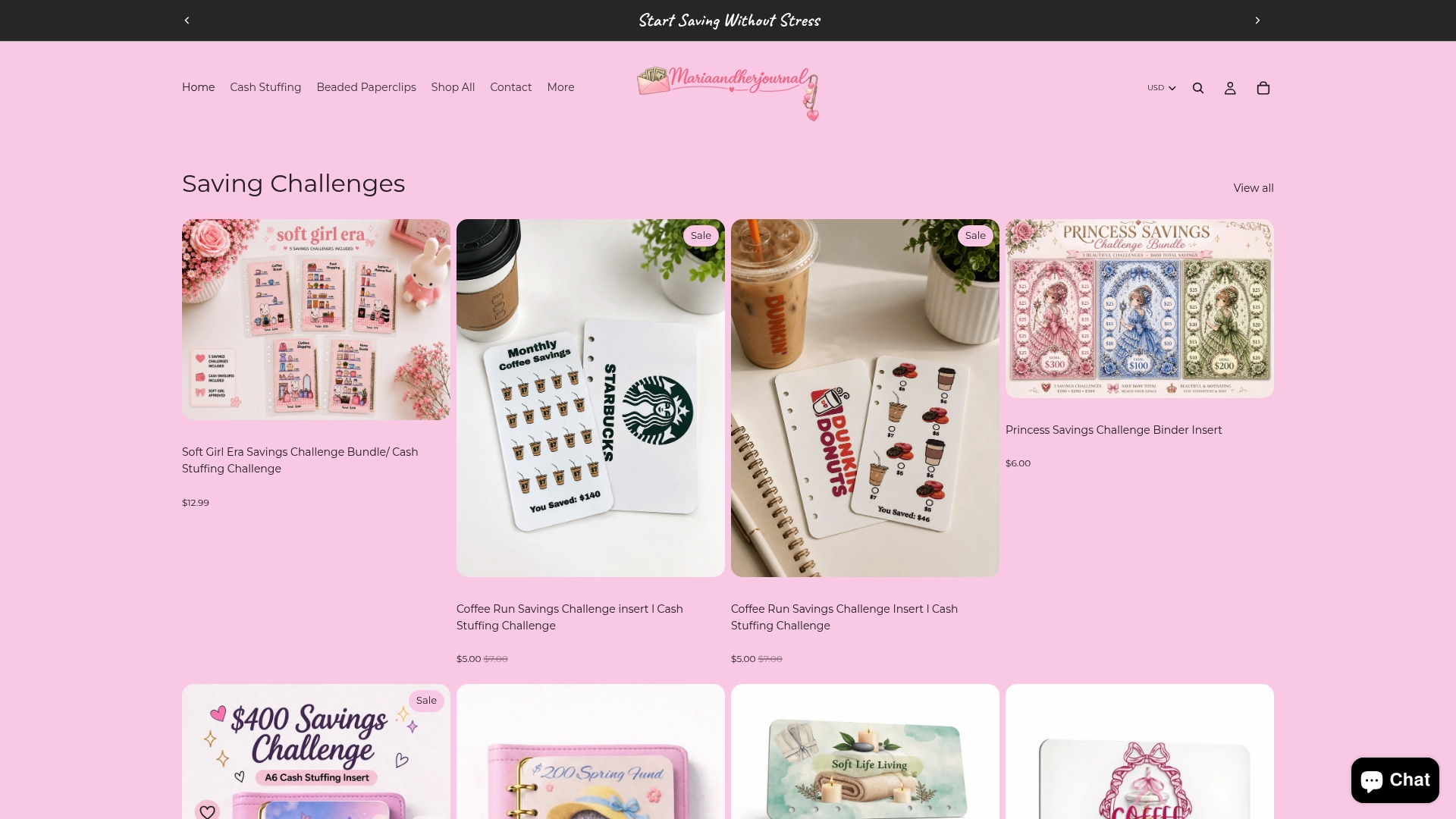
Each starter kit is handmade, which means the envelopes are built to last through months of weekly fills and empties, not to fall apart after two pay cycles. The category labels match the naming conventions in the CSV template above, so transferring totals from your envelopes to your spreadsheet takes minutes, not a guessing game.
If you are also working toward a savings goal, the saving challenges collection includes bundles that pair with specific budget categories like Emergency Fund and Sinking Funds. Browse the full collection and pick the starter kit that matches the 3–5 variable categories you decided to track first.
Useful sources
These are the primary references behind the tax rules and budgeting guidance in this article. For any tax-specific question, the IRS publications below are the authoritative source. When your situation is complex (mixed personal/business use, depreciation elections, home office deductions), a qualified tax professional is worth the cost.
- IRS: Deducting Business Expenses — the plain-language starting point for what qualifies as a business deduction
- IRS Publication 463: Travel, Gift, and Car Expenses — authoritative rules on meals (50% limit), gifts ($25 cap), and mileage substantiation
- IRS Standard Mileage Rates — current rates for business, medical, and charitable driving
- IRS Publication 946: How to Depreciate Property — Section 179 and bonus depreciation rules for capital assets
- IRS: About Publication 535 (Business Expenses) — comprehensive guide to the ordinary and necessary standard
- Schedule C (Form 1040) — the actual form where sole proprietors report income and business expense categories
- Consumer.gov: Making a Budget — straightforward personal budget guidance from a federal consumer resource
This article provides general information about expense categories for budgeting and U.S. tax purposes. It is not tax or legal advice. Confirm current rules with IRS publications or a qualified tax professional before making deduction decisions.